
Every organization needs the right productivity tools for small business, especially when managing modern business operations. With so many apps competing for attention, choosing the best business tools can feel overwhelming. From project management software and accounting software to a reliable team collaboration tool, the goal is to reduce manual tasks, streamline repetitive tasks, and improve overall efficiency. The most effective business productivity solutions support everything from handling customer interactions and managing customer data to empowering sales teams with smarter workflows.
The best small business tools also include automation capabilities, secure access controls, and reporting features that let teams create custom financial reports without added complexity. When thoughtfully selected, these tools become essential business tools that help teams focus on meaningful work instead of busywork. To make the process easier, we’ve filtered through the noise and curated a list of 12 standout business productivity solutions designed to help small businesses scale with confidence—using the right tools for sustainable growth. Dive right in!
1. Week Plan
.png)
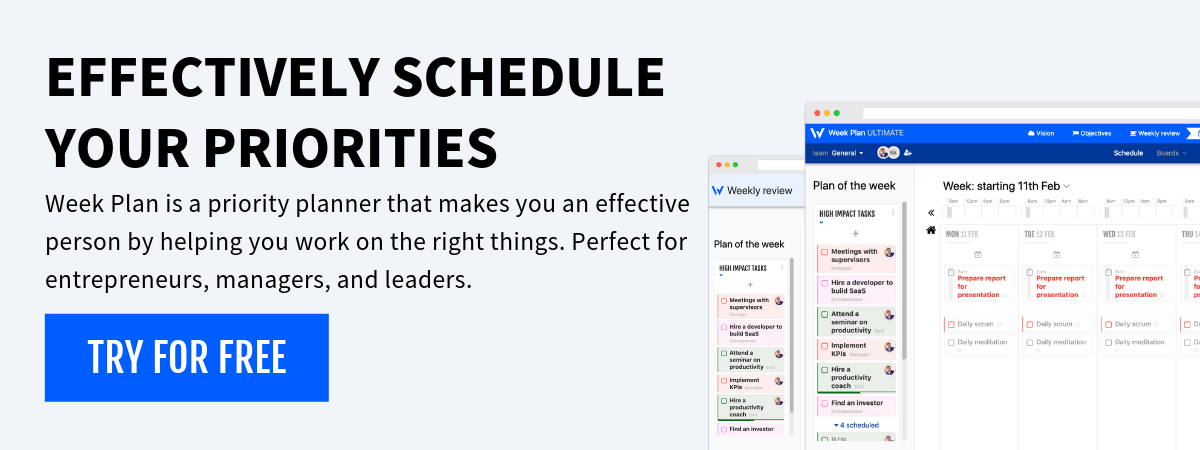
Praised as the best productivity software for small businesses, Week Plan transforms your routine tasks into actionable items. It merges seamlessly with Google Calendar and Google Drive as a comprehensive task management tool.
Discover WeekPlan, the intuitive Productivity Planner aligned with quadrant prioritization. Focus on what truly matters and elevate your business tasks.
Features
- Weekly goals
- Role goals
- Quadrants
- Workspaces
- Recurring tasks
- Daily reflection
- Day & night themes
Top 3 Features of Week Plan
1. High-Level Weekly View
.png)
At a glance, view your week ahead. It aids in planning and ensures you’re aligned with your business goals—no more missing vital activities or tasks.
2. Role-Based Task Management
.png)
Rather than just being a list, tasks are segmented by roles. Whether managing customer relationships or scheduling social media posts, it’s all systematized.
3. Quadrant Prioritization
.png)
Not all tasks hold equal importance. They can be sorted according to their urgency and importance. This functionality renders it indispensable for both team collaborations and individual entrepreneurs.
Pros
- Seamlessly incorporate with Google Drive and Google Calendar
- Robust tools for role-based task management
- Employs Quadrant Prioritization for efficient task sorting
Cons
- It might have a tiny learning curve for first-timers
- Developed features might be overwhelming for some
- Custom pricing might deter businesses on a tight budget
Supported Platforms
Week Plan is available as a web application and offers mobile apps for both Android and iOS, ensuring that small business owners can keep track of their tasks and priorities on the go.
Pricing
Week Plan comes at a competitive price of $10.83 per month.
Final Verdict
Week Plan stands out as a remarkable productivity tool. Its extraordinary quadrant system makes it an essential asset for businesses seeking streamlined processes and growth.
2. Trello
.png)
Trello revolutionizes task management with its intuitive board-and-card system. Businesses can visually track progress, assign tasks, and organize their projects.
Its drag-and-drop mechanism makes project management a breeze, and its user-friendly interface is a hit among small businesses.
Features
- Task management
- Project dashboards
- Time tracking
- File sharing
- Checklists
- Power-ups
- Automation
- Team collaboration
Top 3 Features of Trello
1. Drag-and-Drop Task Cards
.png)
This feature empowers users to quickly move tasks through different stages, visually representing the project’s status.
2. Board and List Organization
.png)
Trello allows for the customization of boards and lists, which can be organized per project requirements, making it flexible for various workflows.
3. Power-Up
.png)
These features enhance Trello’s functionality, allowing businesses to sync it with other software tools, further boosting productivity.
Pros
- User-friendly interface that’s easy for beginners
- Highly customizable to suit various business needs
- Efficient team collaboration with real-time updates
Cons
- It can become cluttered for larger projects
- Limited features in the free version
- Some power-ups require additional costs
Supported Platforms
Trello provides a seamless experience across web browsers, and its mobile apps for Android and iOS make task tracking handy.
Pricing
Trello’s pricing starts at $0; Premium Class is $10/month; Enterprise is $17.50/month.
Final Verdict
Trello is an excellent choice for small businesses seeking an intuitive, flexible task management tool. Its visual interface and powerful features ensure companies can easily track and manage their projects.
3. Google Sheets
.png)
GoogleSheets is a powerful online spreadsheet application that lets small businesses manage, analyze, and visualize data in real-time.
Its compatibility with other Google services and its robust feature set make it indispensable for businesses, especially those looking to collaborate seamlessly.
Features
- Machine learning-based features
- Functions & formulas
- Charts
- Compatibility
- Data visualization
- Scripting with apps script
- Collaboration & sharing
- Offline editing
Top 3 Features of Google Sheets
1. Real-time Collaboration
.png)
Teams can revise spreadsheets simultaneously, view real-time modifications, and confirm everyone has the latest version.
2. Data Visualization Tools
.png)
Built-in chart tools allow businesses to visualize their data for better insights and decision-making.
3. Scripting & Automation (with Google Apps Script) .png)
Users can automate tasks, connect with other Google services, and create custom functionalities.
Pros
- Smoothly connects with various Google services
- Enables robust data analysis with pivot tables and other advanced tools
- Offers version history, letting users track changes and revert when necessary
Cons
- It might encounter a downshift with massive datasets
- Developed functionalities may have a learning curve
- Fewer features are compared to some desktop spreadsheet software
Supported Platforms
Google Sheets is available on web browsers and as mobile apps on Android and iOS.
Pricing
Google Sheets offers a $0 (free) for individual users; it starts at $12/month for business users as part of G Suite.
Final Verdict
Google Sheets is a web-based spreadsheet program that is part of the free, web-based Google Docs Editors suite offered by Google, which also includes Google Docs, Google Slides, Google Drawings, Google Forms, Google Sites, and Google Keep.
4. Todoist
.png)
Todoist is a comprehensive task management app tailored for professionals and businesses. With its intuitive design and powerful features, handling tasks, setting deadlines, and prioritizing becomes more streamlined than ever.
Features
- Projects
- File Sharing
- Priorities
- Recurring dates
- File management
- Kanban Board
- Productivity tracking
Top 3 Features of Todoist
1. Natural Language Task Entry
.png)
This feature lets users input tasks using everyday language, making task creation swift and straightforward.
2. Recurring Task Setup
.png)
Allows businesses to set tasks that recur daily, weekly, or any custom period, ensuring nothing falls through the cracks.
3. Prioritization Labels
.png)
Users can assign priority levels to tasks, ensuring that critical tasks are always in focus.
Pros
- Simple and user-friendly interface
- Provides productivity tracking and visualization tools.
Cons
- The free version has limitations on features
- Task sub-levels might get complex for some users
- Advanced features may need a learning period
Supported Platforms
Todoist boasts broad accessibility with web, Android, iOS, Windows, and macOS applications.
Pricing
Todoist offers a price plan of $0 (Free); pro plan start at $4/month.
Final Verdict on Todoist
Todoist is a premier task management tool. Its range of features caters to both individual professionals and teams.
5. Toggl
.png)
Toggl is a time-tracking tool designed for both individuals and teams. It offers insights into position habits, enabling small businesses to maximize productivity by identifying areas of improvement.
Features
- Time tracking
- Reporting
- Projects & clients
- Team scheduling
- Billable rates
- Time audits
- Offline mode
Top 3 Features of Toggl
1. Time Tracking by Task
.png)
This feature helps businesses break down time spent on each task, offering clear insights into where most of the team’s time is going.
2. Detailed Reporting
.png)
Generates reports that showcase work hours, helping businesses invoice accurately and manage workloads effectively.
3. Project Time Budgeting
.png)
Allows managers to set project time budgets, ensuring they stay on track and under budget.
Pros
- User-friendly interface and easy setup
- Provides browser extensions to streamline time tracking
- Connects with a range of different tools and platforms
Cons
- Features might need to be more balanced for solo entrepreneurs
- Advanced features are locked behind paid versions
- The offline mode might not sync immediately upon going online
Supported Platforms
Toggl is available on the web, desktop (Windows, macOS, and Linux), and mobile platforms (Android and iOS).
Pricing
It Starts at $0 (free); Pricing starts at $10/month.
Final Verdict
Toggl provides businesses with a complete tool suite to track time usage, aiding teams in boosting productivity through detailed reports.
6. Monday.com
.png)
Monday.com is a cloud-based platform designed to help companies manage tasks, projects, workflows, and daily work processes. It can be thought of as a work operating system that powers teams to run projects and workflows with confidence.
Features
- Workspaces
- Creation & Assignment
- To-do-lists
- Task prioritization
- Automation
- Planning
- Time tracking
Top 3 Features of Monday.com
1. Visual Project Tracking
.png)
Businesses can view tasks and projects visually, with boards, lists, and timelines to track progress at a glance.
2. Workflow Automation
.png)
Automates routine work processes, allowing businesses to focus on value-adding tasks.
3. Multiple View Options (List, Calendar, Board)
.png)
Teams can customize how they view their tasks, catering to different working styles and project types.
Pros
- Highly customizable to fit various business needs
- Seamless connections with other widely used tools
- Real-time collaboration features enhance team communication
Cons
- It may have a steeper learning curve for beginners
- Pricing can become high for larger teams
- Some find its extensive features overwhelming
Supported Platforms
Monday.com is accessible via web browsers and mobile apps for Android and iOS.
Pricing
Pricing starts at $8/month; Basic, Standard, and Pro plans are based on user volume. They also have a free plan.
Final Verdict
Monday.com is a robust work tool for streamlined task management. The learning curve exists, but the platform’s adaptability is a significant advantage.
7. Slack
.png)
Slack is a widely used team communication and collaboration platform that helps businesses and teams streamline communication and information sharing.
It provides a centralized space where users can make channels for various topics, projects, or departments. It allows team members to have organized discussions, share files, and incorporate multiple third-party tools and services.
Features
- Channels
- Direct messages
- File sharing
- Searchable history
- Security
- Workflow builder
- Notifications
Top 3 Features of Slack
1. Channels
.png)
Allows teams to create topic-specific channels, ensuring discussions remain organized and relevant.
2. Direct Messaging
.png)
Facilitates one-on-one conversations, allowing teammates to discuss privately.
3. File Sharing & Collaboration
.png)
It makes sharing documents and collaborating on them straightforward and fast.
Pros
- Powerful search functionality to locate past conversations and files
- Enables video and voice calls
Cons
- It can become distracting with too many notifications
- File storage limits on the free version
- Some find channel organization to be confusing initially
Supported Platforms
Slack offers broad platform support, including web, desktop (Windows and macOS), and mobile (Android and iOS).
Pricing
Upgrade to Slack Standard for video calls (up to 15 participants) and shared channels at $7.25/user/month. Slack Business offers more features for $12.50/user/month.
Final Verdict
Slack is a current communication tool perfect for businesses wanting to keep conversations organized and in one place.
While it requires some initial setup, the benefits of enhanced communication are undeniable.
8. Microsoft Teams
.png)
Microsoft Teams is a cooperative communication and collaboration platform incorporating chat, video conferencing, and file storage.
It has seamlessly merged with other Microsoft Office products, making it a robust business solution.
Features
- Chat
- Teams & channels
- Meetings & video conferencing
- File sharing & collaboration
- Live events
- Task management
- Screen sharing
Top 3 Features of Microsoft Teams
1. Team Collaboration
.png)
Provides a forum for team members to examine projects, share updates, and get real-time feedback.
2. Video Conferencing
.png)
Teams can host or join meetings, facilitating seamless collaboration irrespective of geographical distance.
3. File Sharing & Editing
.png)
Users can share, revise, and collaborate on records within the Office 365 environment without exiting the platform.
Pros
- Seamlessly blend with Microsoft Office products
- High-quality video conferencing tools
- Strong security and compliance features
Cons
- It can be overwhelming for new users due to numerous features
- Some users report synchronization issues
- The interface may feel cluttered with larger teams
Supported Platforms
Microsoft Teams offers vast platform support, including web, desktop (Windows and macOS), and mobile (Android and iOS).
Pricing
It offers a free plan for up to 300 users. Office 365 Business Essentials: offers $4/user/month, and Business basic at $6/user/month.
Final Verdict
Microsoft Teams is a comprehensive collaboration tool for businesses already invested in the Microsoft ecosystem.
9. Discord
.png)
Initially designed for gamers, Discord has become a versatile medium for communities and teams. It offers voice, text, and video communication, ensuring versatile engagement options.
Features
- Reminders
- Voice channels
- Text channels
- Direct messaging
- Screen sharing
- Real time chat
- Video calls
Top 3 Features of Discord
1. Voice Channels
.png)
It enables teams to have real-time voice conversations, which is particularly useful for brainstorming or quick catch-ups.
2. Server Customization
.png)
Allows users to create and customize servers based on their needs, ensuring organized communication.
3. Role-Based Permissions
.png)
Administrators can assign roles with specific permissions, managing who can access certain channels or perform particular actions.
Pros
- Lightweight and user-friendly interface
- Solid audio quality in voice channels
- Offers a free tier with a vast majority of features
Cons
- Lacks the latest business features compared to other tools
- Its gaming roots might make it feel less professional
- Large servers can become hard to manage without proper role assignments
Supported Platforms
Discord is unrestricted on the web, desktop (Windows, macOS, and Linux), and mobile devices (Android and iOS).
Pricing
The Basic plan costs $2.99 a month and Nitro costs $9.99.
Final Verdict
For informal teams or startups, Discord can be a cost-effective communication tool. It’s flexible, accessible, and offers various features to keep team members connected.
10. Twist
.png)
Twist aims to transform team communication by focusing on organized and asynchronous communication.
Its threaded conversations ensure that communication is structured, making it easier for teams to track conversations and reduce unnecessary distractions.
Features
- Remote support
- Channels
- Direct messages
- Comments
- Notifications
- Search
Top 3 Features of Twist
1. Threaded Conversations
.png)
Allows for organized and topic-focused discussions, ensuring that conversations are easy to follow and refer back to.
2. Channels
.png)
They designated areas for team members to converse about various projects, subjects, or divisions, maintaining organized and appropriate discussions.
3. Inbox & Notifications
.png)
Twist’s inbox collects unread threads and mentions, allowing you to focus and respond at your own pace, promoting asynchronous communication.
Pros
- Promotes distraction-free, asynchronous communication
- Clean and intuitive user interface
Cons
- It might require a shift in communication habits for teams used to real-time chat
- Limited video and voice chat features
- Some users might miss the instant response nature of traditional chat apps
Supported Platforms
Twist has apps for the web, Android, iOS, and macOS.
Pricing
Twist offers a free plan. It also provides the “Twist Unlimited” plan at $6 per monthly user.
Final Verdict
Twist refreshes team communication, promoting more thoughtful and organized discussions. It’s an ideal solution for teams looking to reduce the noise of real-time chats and focus on meaningful conversations.
11. Flock
.png)
Flock incorporates the best features of productivity and communication in a single platform. Recognized for its intuitive design, Flock supports various features such as messaging, file sharing, and to-do list creation, enabling businesses to centralize their operations and foster seamless collaboration among team members.
Features
- Channels
- Polls
- Video calls & conferencing
- File sharing
- To-dos
- Notes
- Reminders
Top 3 Features of Flock
1. Channels & Direct Messaging
.png)
Create dedicated spaces for various projects or departments. Whether you need to address everyone in a channel or privately message a colleague, Flock offers flexibility in communication.
2. Built-in To-dos
.png)
Go beyond just chatting and set actionable tasks. With built-in to-dos, teams can quickly create, assign, and track tasks without leaving the chat platform.
3. File Sharing & Search
.png)
Upload, share, and discuss files directly within channels or private chats.
Pros
- A comprehensive suite of collaboration tools in a single platform
- Efficient file sharing
Cons
- It might have a learning curve for those migrating from more straightforward chat tools
- Notifications can get overwhelming with active channels
- Some features, like video conferencing, may require premium plans
Supported Platforms
Flock is accessible on web browsers, desktop platforms (Windows and macOS), and mobile platforms (Android and iOS).
Pricing
Flock offers a free plan. The Pro version is available for more premium features at just $4.50 per monthly user.
Final Verdict
Flock offers an impressive balance between communication and productivity. Its broad set of tools makes it a leading choice for businesses wanting a centralized platform for team operations.
12. Titan
.png)
Titan appears as a beacon of streamlined communication in today’s age of information excess. Specifically designed for businesses, it stands apart with its emphasis on decluttering inboxes, aiding concentration, and maintaining security.
Titan revolutionizes how small businesses perceive and handle emails through intuitive mail sorting and exclusive features like focus mode.
Features
- Mobile & desktop access
- Security encryption
- Built-in security
- Reminders
- Email filtering
- Read receipts
Top 3 Features of Titan
Titan is built to help teams stay productive and aligned, offering robust collaboration features that keep everyone on the same page while managing communication efficiently. With strong integration capabilities, Titan connects smoothly with other apps, allowing businesses to centralize their email workflows without disrupting existing systems.
1. Intelligent Mail Sorting
.png)
Gone are the days of wading through a sea of unimportant emails to get to the critical ones. Titan’s intelligent algorithms prioritize emails, ensuring the most relevant messages catch your eye first.
2. Focus Mode
.png)
Distractions often lead to reduced productivity. With Titan’s focus mode, users can zero in on tasks by silencing unimportant notifications, promoting a more concentrated working environment.
3. Built-in Security Features
.png)
In a world where data breaches are commonplace, Titan strongly emphasizes security. Built-in features confirm that emails and linked data remain shielded from prying eyes.
Pros
- Advanced mail sorting that prioritizes critical communications
- Enhanced focus on security, ensuring data safety
- User-friendly interface that streamlines the email management process
Cons
- It might take some time for users to adapt to the new mail-sorting algorithms
- Exclusive partnerships could limit accessibility for some users
Supported Platforms
Titan can be accessed through web browsers, Android and iOS.
Pricing
Titan offers a Business Pro plan at $2.00/per month, and a Business Premium plan at $2.45/per month.
Final Verdict
Titan stands out as a worthy contender for businesses overwhelmed by the sheer volume of emails and yearning for a more streamlined, focused, and secure communication experience.
Its innovative features make it a modern solution for contemporary email challenges.
Best of the Best
1. Week Plan
Week Plan excels in holistic task management with seamless Google service support. With features like goal setting, time blocking, and task prioritization, Week Plan helps users optimize their productivity.
2. Trello
Trello is a popular visual project management tool that uses boards, lists, and cards to help individuals and teams organize tasks and projects.
It visually represents tasks and their progress, making it easy to track work and collaborate effectively.
3. Google Sheets
Google Sheets offers cloud-based storage, which means that your spreadsheets are accessible from any device with an internet connection, and multiple users can collaborate on the same document simultaneously.
Conclusion
Equipping yourself with potent tech tools is crucial to navigating the business realm’s challenging waters. With too many tools available today, it’s easy to feel overwhelmed, but choosing the right productivity apps can dramatically save time and improve every business process. Week Plan has emerged as a frontrunner in productivity software by offering seamless integration with essential communication software, social media management, and other specialized tools that help teams create tasks, streamline workflows, and better analyze data.
Designed for modern teams, Week Plan includes built-in reporting tools, strong data encryption, and flexible pricing where paid plans start affordably per user, alongside a generous free basic plan. These thoughtfully structured paid plans make it easier to scale without friction. By consolidating key functions into one platform, Week Plan reduces dependency on scattered systems and helps teams focus on meaningful work—making it one of the most practical solutions for simplifying how work gets done. While countless options are available, Week Plan has emerged as a frontrunner in productivity software. Please give it a whirl and see your productivity skyrocket!
Frequently Asked Questions
1. What are the uses of management tools for small businesses?
They support data management, optimize workflow processes, and help small teams improve team efficiency by organizing work in one central system. Many tools function as a work management platform that enables better planning and execution.
2. What are the right tools for small businesses?
Week Plan stands out for small teams thanks to its strong collaboration capabilities, flexible app integration, and compatibility with google workspace, making it easy to align daily work with long-term business plans.
3. What does “productivity software” mean in the context of small businesses?
Productivity software refers to digital solutions that help businesses streamline operations, manage workflow processes, and gain valuable insights into performance, resource allocation, and priorities.
4. Are there industry-specific productivity tools?
Yes. Some platforms include crm software with features like lead management, while others focus on vertical needs such as construction, healthcare, or retail. Selecting tools aligned with your industry ensures better results.
5. How often do software providers update their tools?
It varies. Some providers update their software frequently with new features and security patches, while others may have less frequent significant updates.
6. Can I access my productivity software from mobile devices?
Yes. Most cloud-based solutions—including crm software—are accessible on mobile devices, allowing small teams to stay productive and connected from anywhere.
More Posts
10 Best Daily Personal Planners to get most out of your day
![10 Best Daily Personal Planners]() Your daily tasks, aspirations, and dreams should be noticed. Investing in the perfect daily personal planner helps you harness the chaos of your daily routine. From college students...
Habit 7 of Highly Effective People: Sharpen the Saw
Summary Of Habit 7 of 7 Habits - Self Renewal Have you ever heard of the term ‘Sharpen the Saw’? What does it refer to? It means enhancing and preserving the greatest asset...
Unveiling the Best 10 Business Productivity Software
Every business, regardless of its size or industry, seeks to improve productivity and efficiency. One of the best ways to achieve this is by leveraging technology, specifically business productivity software. In this guide,...
Achieve Your Goals with the Best Goal Tracking Calendar
In today's fast-paced digital world, meticulously plotting our ambitions is more crucial than ever. The art of planning, once limited to paper, has been revolutionized with dynamic digital solutions. Planners with goal tracker...